NABTEB Digital Certificate 2026/2027 & Guidelines & Instructions
NABTEB Digital Certificate 2026/2027 & Guidelines & Instructions: The National Business and Technical Examinations Board (NABTEB) has launched its Digital Certificate Platform (e-Certificate system) to enable candidates, individuals, institutions, and organizations to access, share, and confirm NABTEB certificates online for both May/June and GCE examinations.
The 2026/2027 NABTEB (NBC/NTC) May/June registration involves biometric capture at accredited centers and online form submission for examinations scheduled from June 15, 2026. Candidates must use official software, their NIN, and a valid photograph, with fees around ₦24,500. Digital certificates are accessible online via the NABTEB digital certificate platform for verification and secure storage.
The platform allows candidates to request certificates, make payments, and securely access their certificates from anywhere in the world. It is designed to simplify certificate processing and verification.
This digital system removes the need for physical certificate handling, improves efficiency in certificate management, and helps prevent the circulation of fake certificates.
The National Business and Technical Examinations Board Digital Certificate System offers easy validation, verification, and confirmation of certificates for organizations and institutions. It provides instant verification, reduces administrative delays, and ensures secure storage to prevent unauthorized access or certificate fraud.
Who Can Use It?
- Candidates who have taken NABTEB May/June or November/December (GCE) examinations.
- Institutions and Organizations such as schools, employers, and verification bodies that need to validate certificates.
Important Notice:
- May/June candidates from 2016 and below should visit their schools/centres.
- November/December candidates from 2016 and below should visit the NABTEB State Office where they wrote the exam.
How to Register
- Visit: https://digitalcert.nabteb.gov.ng/
- Click Register and choose Candidate or Institution.
- Fill in the required details (personal/exam details for candidates; institutional details for organizations).
- Submit the form and verify your email.
- Log in to your account.
How to Request & Pay for a Certificate
- Log in and select Certificate Request.
- Enter your examination details and confirm.
- You will be redirected to the Remita payment platform.
- Pay via Debit Card, Bank Transfer, USSD, or Internet Banking.
- Confirm payment and return to the portal.
How to Download
After payment confirmation:
- Go to the Certificate section on your dashboard.
- Click Generate Certificate.
- Download the certificate in PDF format.
- Print or share digitally as needed.
- READ ALSO:
- NABTEB English Language Syllabus 2026/2027 [Download in PDF]
- NABTEB Syllabus 2026/2027 [All Subjects] | May/June & Nov/Dec
- NABTEB Timetable 2026/2027 May/June NBC/NTC [16th June – 14th July 2026]
- How to Check Your NABTEB Result 2026/2027: Step-by-step Guide
- NABTEB Result Checker 2026/2027 May/June [Online, SMS & Email]
- NABTEB Nov/Dec GCE Result Checker 2026/2027 [Step by Step Guide]
- NABTEB Nov/Dec (GCE) Form 2026/2027 [NBC/NTC & ANBC/ANTC]
- NABTEB Registration 2026/2027 For May/June (NBC/NTC)
- How To Pass NABTEB 2026/2027 in One Sitting
- NABTEB Registration Form 2026/2027 Fee, Date & Deadline
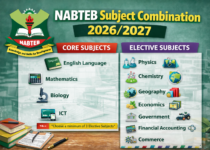
NABTEB Leather Trade Subjects Combination 2026/2027

How to Prepare & Pass NABTEB 2026/2027 Without Expo
NABTEB Secretarial Duties Subjects Combination 2026/2027
About Author
